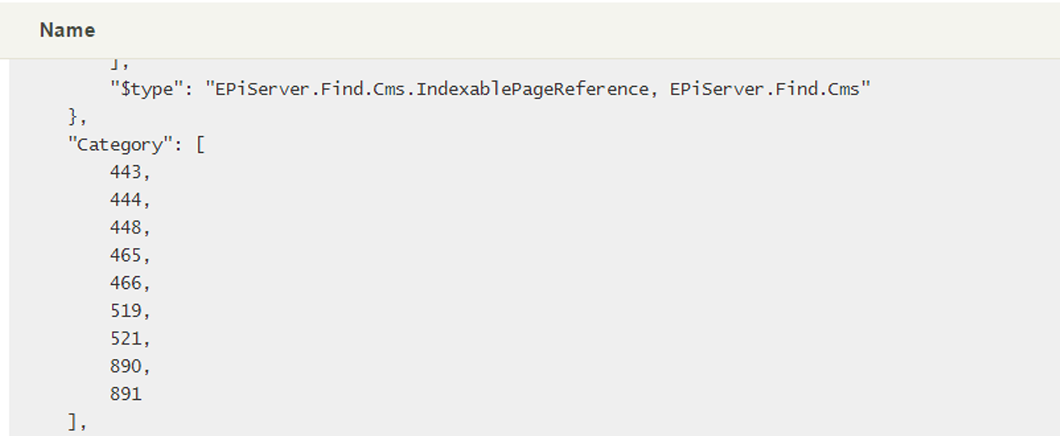
I needed to use a CategoryList as Facets in EPiServer Find, preferably without modifying or extending the PageData/BlockData objects. Luckily Henrik Lindström wrote a FacetFilter2Find library that helped a bit.
First of
Thanks to Henrik Lindström, Joel Abrahamsson, Marcus Granström and anyone else involved in the x2find libraries.
The problem
Categorylists are stored as integer arrays in EPiFind, also the default TermsFacetFor extension method does not accept Category/CategoryLists objects as arguments.
var result = SearchClient.Instance.Search<ArticlePage>()
        .TermsFacetFor(x => x.Category) // This doesn't work
        .GetPagesResult();
Solving
The FacetFilter2Find didn't quite do the trick out of the box either, but implementing the library gave me access to the necessary objects to build the required extension method, TermsFacetForCategories
/// <summary>
/// Generate facets for the ICategorizable property
/// Extending FacetFilter2Find, https://github.com/x2find/FacetFilter2Find
/// </summary>
/// <typeparam name="TSource"></typeparam>
/// <param name="search"></param>
/// <param name="fieldSelector"></param>
/// <param name="facetRequestAction"></param>
/// <returns></returns>
public static ITypeSearch<TSource> TermsFacetForCategory<TSource>(
    this ITypeSearch<TSource> search,
    Expression<Func<TSource, CategoryList>> fieldSelector,
    Action<TermsFacetFilterRequest> facetRequestAction = null)
{
    var filterExpressionParser = new FilterExpressionParser(search.Client.Conventions);
    var fieldName = search.Client.Conventions.FieldNameConvention.GetFieldName(fieldSelector);
    var facetFilter = filterExpressionParser.GetFilter<ICategorizable>(x => x.Category.Exists());
    var facetName = fieldSelector.GetFieldPath();

    return new Search<TSource, IQuery>(search, context =>
    {
        var facetRequest = new TermsFacetFilterRequest(facetName, facetFilter)
        {
            Field = fieldName
        };

        if (facetRequestAction.IsNotNull())
        {
            facetRequestAction(facetRequest);
        }

        context.RequestBody.Facets.Add(facetRequest);
    });
}
To be able to use these extension methods you must download and implement the FacetFilter2Find library from github in your project.
Usage
var result = SearchClient.Instance.Search<ArticlePage>()
        .TermsFacetForCategories(x => x.Category, facet => facet.Size = 50)
        .FilterForVisitor()
        .GetPagesResult();

var categoryFacets = result.Facets["Category"] as TermsFacet;
The returned facets are stored in a normal TermsFacet object containing a Terms list with TermCount objects.
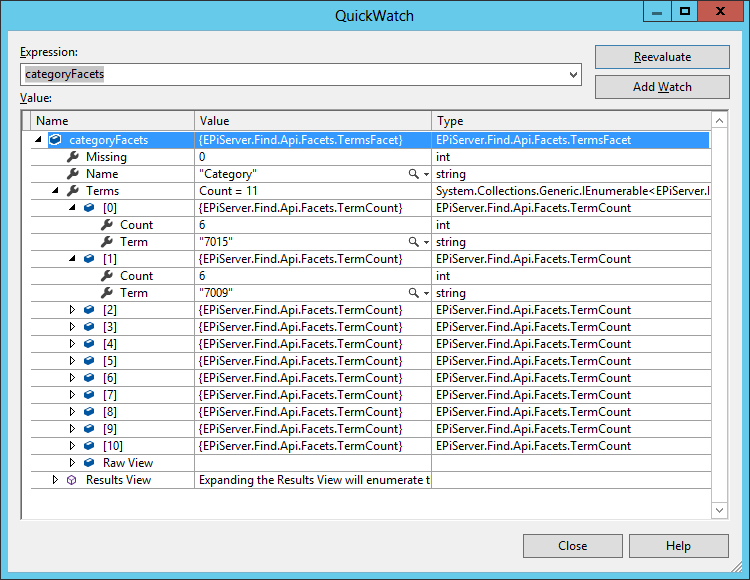
To resolve the category details simply resolve the Id on each term as a CategoryId.
var categoryFacets = result.Facets["Category"] as TermsFacet;
var categoryRepository = ServiceLocator.Current.GetInstance<CategoryRepository>();

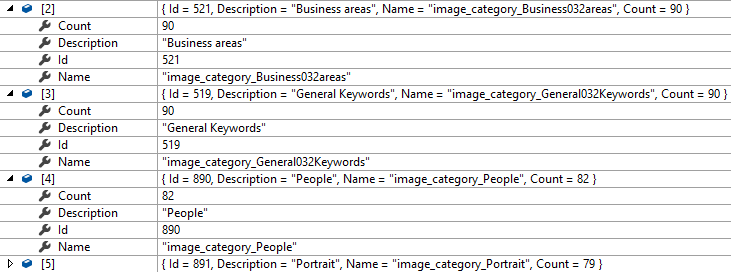
// Anonymous object with category Id, Description, Name and Count
var categoryFacetTerms = categoryFacets.Select(categoryFacet => {
    var category = categoryRepository.Get(int.Parse(categoryFacet.Term));
    return new {
        Id = int.Parse(categoryFacet.Term),
        Description = category.Description,
        Name = category.Name,
        Count = categoryFacet.Count
    };
});
The above example would result in something like this
Cheers!