Here's a little trick to find certificates using the cert: store directory path and PowerShell.
Utilize the recurse option on the dir dommand
dir cert: -Recurse
Combining with a Where-Object custom searches can easily be written
Where-Object { $_.FriendlyName -like "*DigiCert*" }
By FriendlyName
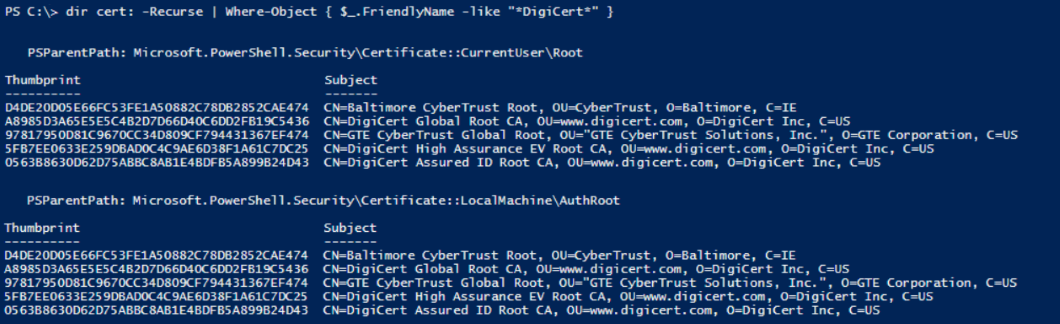
This will list any certificates with a FriendlyName containing DigiCert
dir cert: -Recurse | Where-Object { $_.FriendlyName -like "*DigiCert*" }
By Thumbprint
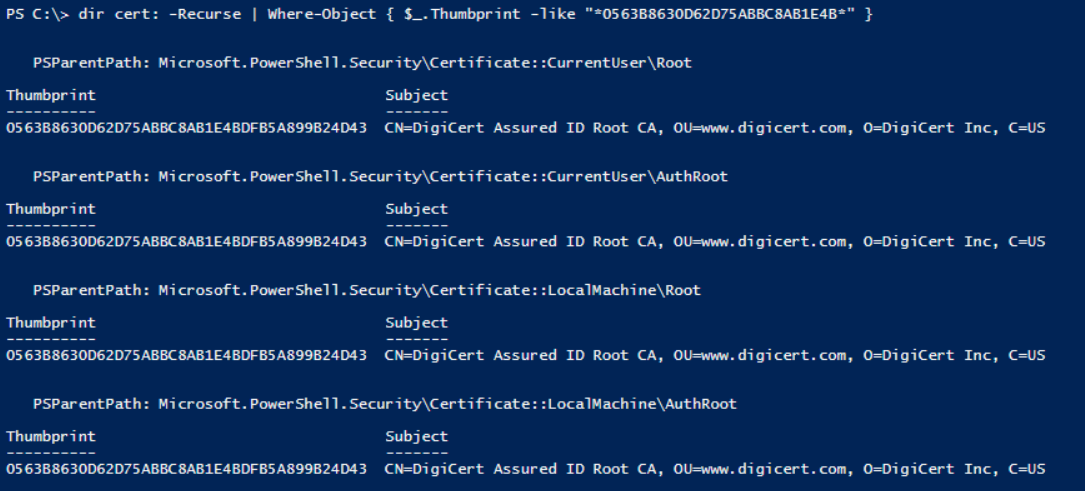
This will list any certificates with a thumbprint containing 0563B8630D62D75ABBC8AB1E4B
dir cert: -Recurse | Where-Object { $_.Thumbprint -like "*0563B8630D62D75ABBC8AB1E4B*" }
By NotAfter (expiry date)
This will list any certificates that isn't valid after the 31 Dec 2018
dir cert: -Recurse | Where-Object { $_.NotAfter -lt (Get-Date 2018-12-31) }
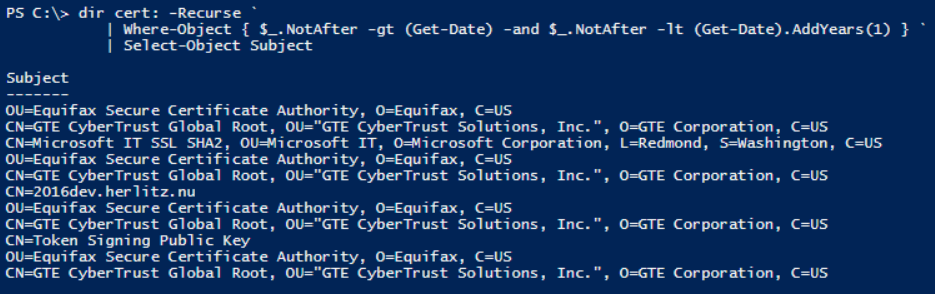
This will list any certificates that will expire the upcomming year, from now and one year ahead
dir cert: -Recurse | Where-Object { $_.NotAfter -gt (Get-Date) -and $_.NotAfter -lt (Get-Date).AddYears(1) }