Ever needed the connectionstring to a SharePoint database but really disliked to use regedit.exe? Here is how you'll get it using PowerShell
Note! This is for SharePoint 2015, change the version number for other versions.
Get-Item 'HKLM:\SOFTWARE\Microsoft\Shared Tools\Web Server Extensions\15.0\Secure\ConfigDB'
This should output something like this
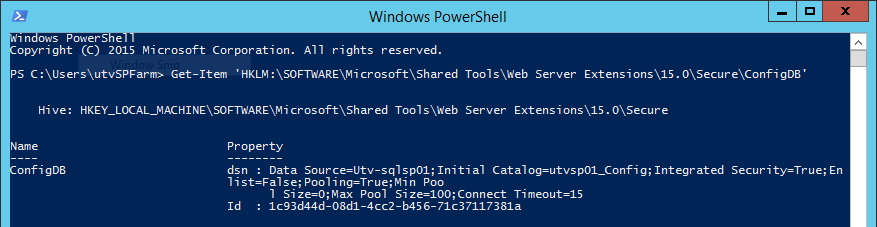
To get the dsn alone you can use the GetItemProperty instead
(Get-ItemProperty 'HKLM:\SOFTWARE\Microsoft\Shared Tools\Web Server Extensions\15.0\Secure\ConfigDB').dsn
Cheers.