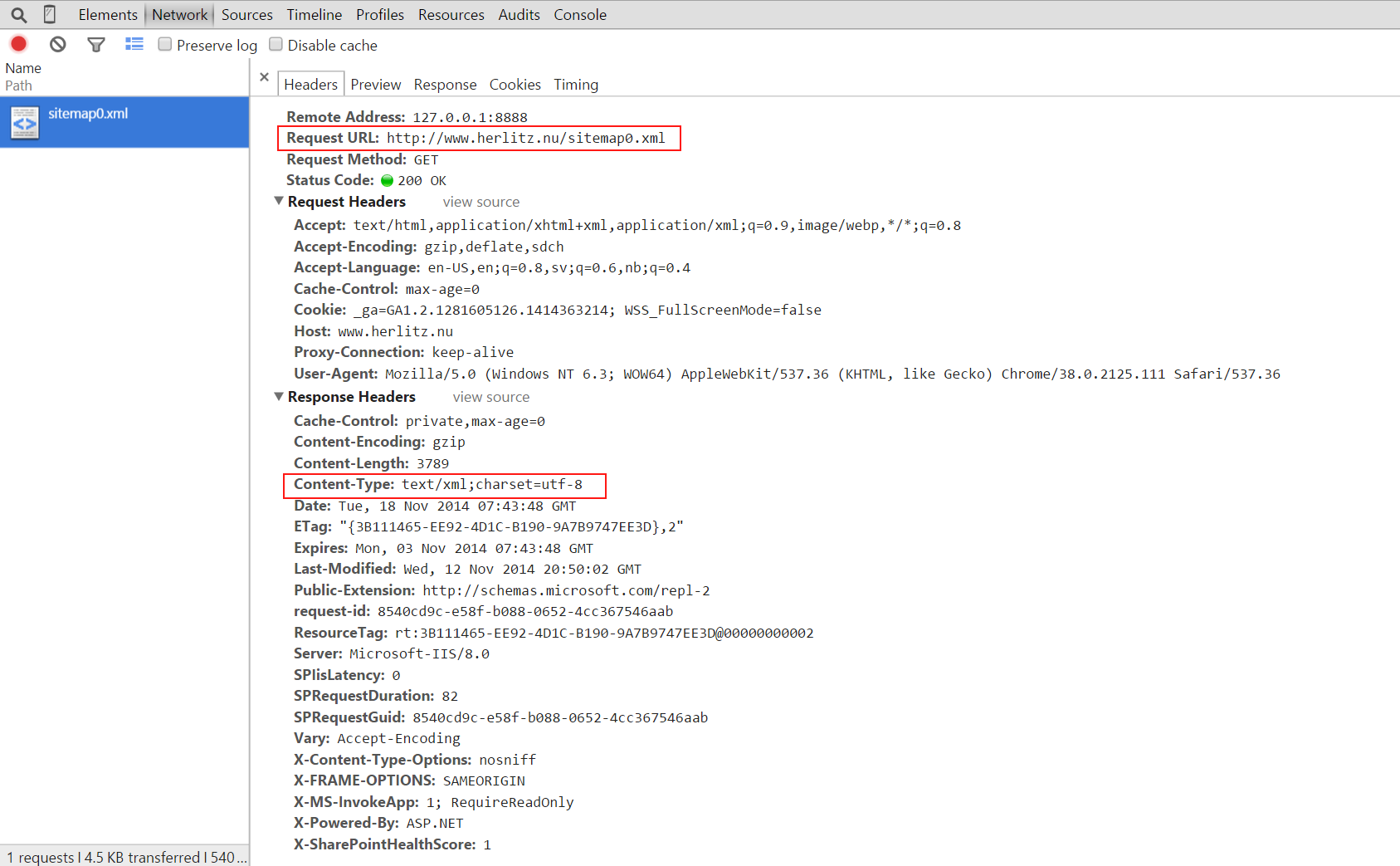
I discovered this when working with the built in feature "Search Engine Sitemap", first up Google Webmaster Tools didn't want to verify the sitemap the feature generated, also the validator at w3.org said
Sorry, I am unable to validate this document because on line 1 it contained one or more bytes that I cannot interpret as us-ascii (in other words, the bytes found are not valid values in the specified Character Encoding). Please check both the content of the file and the character encoding indication.
After digging around for a while I stated that everything seemed to look just fine, the sitemap followed the specification (https://support.google.com/webmasters/answer/183668?hl=en). The error from the validator was pointing to the encoding of the file rather than the file itself and when checking it shows that xml files leaves SharePoint 2013 on IIS 8.0 as text/xml which will not suffice to satisfy the standards that require text/xml;charset=utf-8.
Solution
Install the URL Rewrite module if not available from WPI or http://www.iis.net/downloads/microsoft/url-rewrite, when done follow the steps below. This has to be done on all your frontends if you have several.
Ensure the Content-Type is correct when done